Digital Asset Management
DAM software: how to choose the right platform
Read on to learn how to find the perfect DAM software!

DAM software is an application for the central management of digital content such as images, videos, documents and graphics. It stores files with metadata in one place, controls access and usage rights, and delivers content to your website, shop, sales team and partners in the right formats. This guide shows which criteria to use when choosing DAM software and how to approach the selection step by step.
For the basics, read our introduction: What is digital asset management?
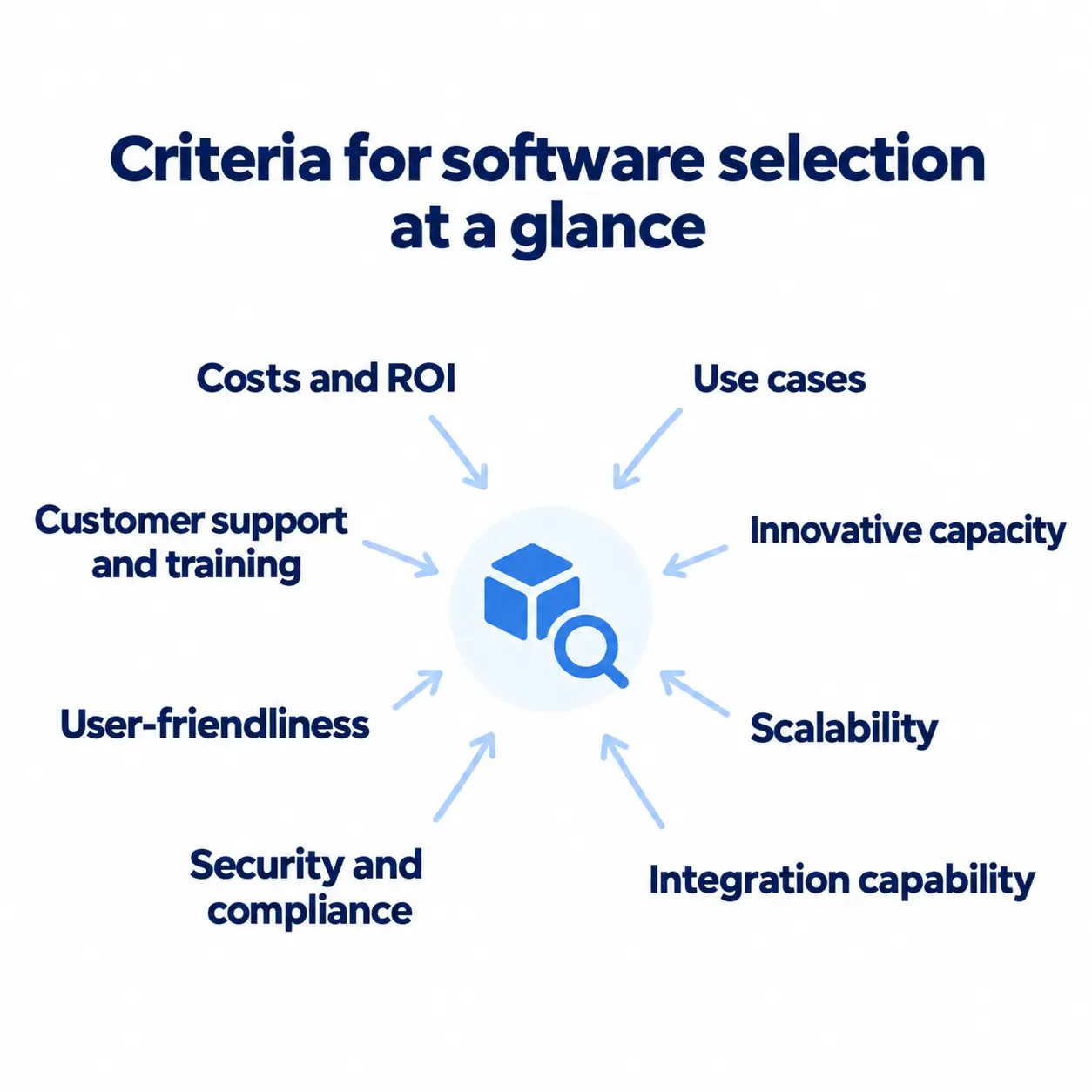
What should you look for when choosing DAM software?
- Use cases
We recommend that you define specific use cases and check how the solution provider fulfils them instead of relying purely on feature lists, which often say little about the actual performance and practicality of the solution. Focusing on use cases allows you to evaluate the adaptability of the DAM software to your specific requirements.
- Innovation capability
The innovation capability of DAM software is an important indicator of its longevity and relevance. Regular updates with new functions show that the solution provider is continuously investing in further development. Pay attention to whether the DAM software is state-of-the-art and check the release cycles. Integrated AI features and other modern technologies are also a good sign.
- Scalability
Good DAM software should be able to grow with your company. Make sure that the software can handle an increasing number of users, assets, and workflows. Scalability is crucial to meet future requirements and remain efficient in the long term.
- Integration capability
The ability of the DAM software to integrate seamlessly into your existing system landscape is immensely important. Make sure that the software works fluidly with, for example, product information systems (PIM), creative software, or project management platforms. Smooth integration significantly improves the efficiency of workflows and collaboration.
- Security and compliance
Data security and compliance are essential aspects when it comes to digital resources. Ensure that the DAM software you choose offers robust security measures such as access controls and encryption. Compliance with industry regulations, such as ISO 27001 certification, should also be ensured to protect your valuable digital assets.
- Usability
The usability of the DAM software plays a decisive role in its acceptance and use within the company. Evaluate the user interface and how easy it is for your teams to adopt. Intuitive navigation, powerful search functions, and an appealing design play a key role in ensuring that the DAM software is accepted and used efficiently by employees.
- Customer support and training
Pay attention to the level of customer support and training offered by the DAM provider. To ensure smooth implementation and continued success, comprehensive training programmes, ongoing support, and dedicated account management should be offered in your language and time zone. Local presence and regionality of the provider can also be an advantage.
- Cost and return on investment (ROI)
When selecting DAM software, you should consider the total cost of ownership (TCO), including licence fees, implementation costs, and ongoing maintenance costs. Evaluate the ROI potential of the solution in terms of time savings, increased productivity, and revenue growth. A thorough cost-benefit analysis will help you make the most economically sensible decision.
Criteria at a glance
The following overview summarises the eight criteria. You can use the questions in the right-hand column directly in demos with vendors.
| Criterion | What to look for | Question for the vendor |
|---|---|---|
| Use cases | Which tasks should the software solve? | How does the software support our most important use case? |
| Innovation capability | Product development, role of AI | Which features are planned for the next 12 months? |
| Scalability | Growth in data volume and users | What happens if our data volume doubles? |
| Integration capability | Connections to CMS, PIM, shop, design tools | Which systems connect through standard interfaces? |
| Security and compliance | Permissions, data location, GDPR | Where is our data stored and how are roles managed? |
| Usability | Search, operation, onboarding | Can we test with our own files? |
| Customer support and training | Onboarding, availability | How does the rollout work and who is our contact? |
| Cost and ROI | Licence, setup, operation | Which costs are one-time and which are recurring? |
Our checklist for choosing DAM software (PDF) lets you score up to three vendors against these eight criteria and compare them in a weighted scoring matrix.
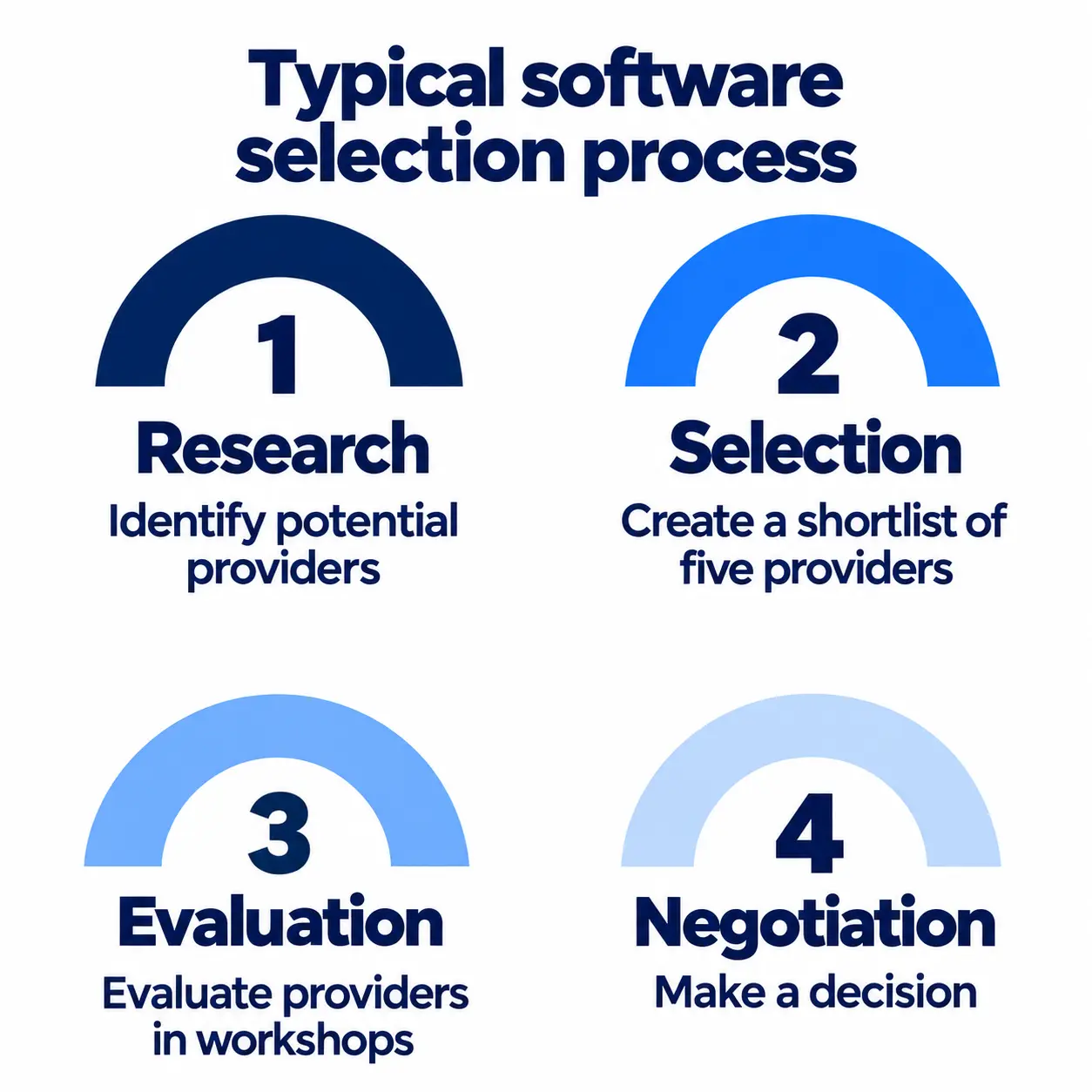
The 4-step selection process
As the digital asset management (DAM) software market is large and promotes a wide range of solutions, it is crucial to follow a structured and sound selection process that takes into account the criteria just mentioned. This typically consists of four steps:
Step 1: Research
Comprehensive and thorough market research should be the starting point of any selection process. Use market overviews to make the first steps in the research phase easier and draw up a list of no more than ten potential providers. When making this pre-selection, pay particular attention to how each one fits with your own company situation. If the provider can demonstrate industry experience through its customer base or implementation partners and has project experience with companies of your size, this is a good indication that it can meet your requirements. However, it is also important that the provider and its integration partners are within regional reach.
Step 2: Shortlist
In the selection phase, the aim is to reduce the shortlist to a maximum of five providers. We don't advise relying exclusively on the providers' feature lists, as they say little about the practical suitability of DAM software. Instead, focus on the relevant use cases and make these the starting point for the selection. Remember that the best solution is not the one with the most functions, but the one that best suits you and your requirements. Document your technical and organisational requirements so that you can compare the providers and solutions identified in the research phase.
Step 3: Evaluate
Once you've finalised your shortlist, make a concrete evaluation of your selection. Give the providers on your list a specific use case that reflects your most important requirements, together with a test data set, and configure a proof of concept (PoC), ideally based on a standardised template. A standardised offer template with an integrated calculation grid ensures that functionalities, services, and prices remain comparable and that no relevant aspects are overlooked during the presentations and workshops. However, the final decision should also take into account the participants' sympathies and good feeling as well as the providers' soft skills and additional services.
Step 4: Negotiate
For the final negotiations, it is of course crucial that you know the TCO of the DAM solutions, including the licence fees, implementation costs, and follow-up costs for ongoing maintenance. Weigh up the potential ROI for each DAM solution and use a cost-benefit analysis to determine the most economically viable choice. However, when making your final decision, don't forget that other aspects also play a role. For example, pay attention to the customer support and training offered by the providers and ask for reference customers whom you can ask about the above criteria.
When does DAM software pay off?
Implementing a software solution is usually no small project and involves high investment costs. Accordingly, the decision to bring in DAM software is often delayed. However, with the increasing importance of data and the growing volumes of media content that need to be managed, the use of modern technologies is becoming more and more urgent. A Total Economic Impact™ (TEI) study by Forrester Consulting, commissioned by Sharedien (June 2025), calculates an ROI of 168% over three years and a payback period of 14 months for a composite organisation from European retail.
Model based on interviews with two decision makers at a Sharedien customer. Forrester makes no assumptions about the ROI of other organisations.
Note: If you recognise yourself in the following statements, it's time to take a closer look at the topic of DAM and the market for digital asset management software.
Typical pain points without a DAM
- Searching for specific files and media content takes an inordinate amount of time as they are located in different departments, systems, and folder structures.
- Expensively acquired or laboriously created media files get “lost” in the inventory and have to be newly acquired or created.
- Again and again, the wrong content gets into circulation because files are saved multiple times and not clearly named, e.g., final_final_new.jpg.
- Accidental violations of image rights and licence conditions are increasingly causing additional work and costs.
- Collaboration between departments, colleagues, or external partners often does not run smoothly.
- Employee frustration increases due to workarounds, faltering processes, correction loops, and unnecessary extra work.
Where does a DAM help most?
Marketing and creative teams are the main beneficiaries of DAM software, especially when it comes to creating, managing, and playing out brand and campaign content. In principle, however, every area that works with digital assets on a daily basis and depends on a well-organised asset inventory benefits, such as sales and e-commerce teams, product management, or business partners.
DAM supports the management of digital content
Marketing alone is generating ever larger volumes of digital content that need to be organised in a meaningful way. While traditional image databases, cloud solutions, and folder structures have long been sufficient for the requirements of digital asset management, these management practices are now reaching their limits at an increasingly early stage. To ensure that you and your employees keep track of your valuable assets and can easily retrieve and monetise them, DAM software brings your asset inventory together on one platform and structures it with the help of metadata. Integrated validation rules ensure that files are archived correctly during import or manual filing and that there is no chaos in the system.
DAM supports creative work and content creation
Creative processes related to the creation of product content or marketing campaigns usually involve many manual and repetitive work steps. Modern DAM software can provide support here with AI functions, for example when editing images or maintaining metadata. This speeds up time-to-market and at the same time frees up your marketing teams to focus on more important tasks such as designing new campaigns. With workspaces that can be set up specifically for individual projects or teams using roles and rights, DAM software also supports collaboration and enables the regulated integration of external parties such as photographers.
DAM supports the distribution of digital content
Whether as a manufacturer, retailer, or player in the B2B, B2C or D2C sector, the number of relevant communication channels is growing across the industry. Modern DAM software is therefore designed so that you can integrate all your applications and data recipients and automatically output the content provided, for example in the correct version or in the appropriate file format. In conjunction with brand templates and digital rights management integrations, such automation not only speeds up your communication processes but also ensures that your brand image remains consistent and that licence agreements or image rights are adhered to. DAM software of this kind therefore forms the starting point for omnichannel marketing strategies.
Basic DAM functions at a glance
- Central asset management: Consolidation of all digital content on a central platform with structured storage using metadata and keywording.
- Metadata management & validation: Automatic assignment of metadata and validation rules for correct archiving and clean data storage with manual filing.
- Workflow automation: Automations, e.g., for image processing, keywording, or versioning to speed up content processes.
- AI-supported search function: Intelligent search with natural language, text recognition (OCR), and image recognition to find assets quickly.
- Omnichannel content distribution: Provision of content in different versions and formats as well as automated playout to all connected channels.
- Brand asset management: Management of brand elements such as logos, templates, and design guidelines in the system to ensure a consistent brand image across all channels.
- Collaboration tools & role management: Workspaces with dedicated role and rights assignment for better collaboration among teams and for the regulated integration of external parties.
- Digital rights management: Central control of usage rights and licences to ensure legally compliant use of digital content.
What sets modern DAM systems apart technically and how they differ from simple image databases is covered in a separate article. To see how these functions work together in practice, take a look at digital asset management software from Sharedien.
Conclusion
Choosing the right DAM software requires a thorough analysis and evaluation of various criteria. Eight points are decisive: use cases, innovation capability, scalability, integration capability, security and compliance, usability, customer support and training, and cost and ROI. If you check these criteria in a structured process of research, shortlist, evaluation and negotiation, you can make an informed decision.
A well-thought-out selection process ensures that the chosen DAM software meets your requirements and makes your marketing campaigns more efficient and successful. To see what this can look like in practice, explore digital asset management software from Sharedien. Do you find other criteria relevant? We look forward to hearing from you: Book an appointment
Frequently asked questions
How is DAM software different from cloud storage like SharePoint or Google Drive?
Cloud storage keeps files in folders. DAM software adds what marketing and product teams actually need: metadata and AI tagging, rights management, versioning, automated workflows, brand governance, and distribution to every channel. It manages assets, it does not just store them.
What company size is DAM software worth it for?
It is not only for large corporations. A DAM earns its place as soon as your assets grow faster than your team can manage them. What matters is the volume, variety, and frequency of asset use, not headcount.
How long does a DAM implementation take?
For a standard setup, typically 4 to 12 weeks, including training and migration of priority content. Large enterprise rollouts take longer when they involve complex integrations or governance models.
How much does DAM software cost, and which factors matter most?
There is no standard price: the cost of DAM software depends mainly on licence fees, integrations (CMS, PIM, e-commerce), asset migration, and training. Ongoing cost depends on how much you use and which features you switch on.
What KPIs prove the value of DAM software?
Common measures: less time spent searching for and approving assets, fewer error and correction rounds, higher reuse of existing content, faster campaign go-lives, and fewer licence or rights violations.
What role does AI play in DAM software?
AI already accelerates the busywork: smart tagging, text-in-image recognition (OCR), and automatic derivatives. Next comes automated content optimisation, rights-aware usage suggestions, and generative workflows, all with a human in the lead.
Is there free or open-source DAM software?
Yes, open-source options exist that carry no licence fee. However, setup, hosting, maintenance and further development create costs, and support and integrations have to be organised in-house. For growing teams with many users, a maintained solution with support is often more economical. Many vendors let you test with your own files before you buy.
Cloud or on-premises: which DAM software fits us?
Most companies choose a cloud solution because it needs no servers of its own, starts faster and stays up to date automatically. On-premises can make sense when internal policies require operation in your own data centre. Data protection requirements, available IT resources and the preferred data location should decide.
What should I ask vendors in a DAM demo?
Ask about your most important use case, the interfaces to your systems, data location, rights management and the total cost including setup. Ask to test with your own files. The questions in the table “Criteria at a glance” work as a template.
What is the difference between DAM software and an image database?
An image database mainly stores and displays images. DAM software also manages videos, documents and graphics and controls rights, versions, approvals and delivery to different channels. If you only need to store photos, an image database is enough. If you need to control processes and rights, you need a DAM. Read more in our comparison image database or DAM.
About the author
As Global SDR at Sharedien, Claudia shares her expertise and practical perspectives on B2B SaaS, digital transformation, customer needs and the challenges facing modern businesses on this blog. LinkedIn

More
articles
Keep reading and take a look at our latest blog articles.


OCR technology: text-in-image search and automated tagging



OMR Festival 2026: Masterclasses with Siemens and Weidmüller
Sharedien & ThoughtSpark