
.jpg)
.jpg)
Artificial Intelligence
AI image search: Find the right image faster with a clever asset search
Artificial intelligence is revolutionizing image search. Learn how AI-powered DAM systems simplify your daily work.

Searching for the perfect image in large asset libraries can be time-consuming and frustrating—especially when metadata is missing or incomplete. Artificial intelligence changes the way images are found, enabling intuitive searches using natural language or reference images. Learn how AI-powered search in a DAM system can significantly improve efficiency and usability.
Key Benefits at a Glance
- Natural language search: Find images using descriptions like “smiling woman in front of a blue background” instead of complex search queries.
- Independent of metadata: Search works even with missing or incomplete tags thanks to visual content analysis.
- Similarity search: Upload a reference image and find visually similar assets.
- Time savings: Up to 70% faster image search compared to traditional DAM systems.
- Highly accurate results: Even vague queries deliver relevant results through contextual understanding.
With Sharedien AI Search, we leverage the latest technologies to help you find the right images in real time—regardless of how assets are named, tagged, or structured in your DAM. The result: simpler workflows and significant time savings.
What Is AI Image Search and How Does It Work?
AI image search refers to the use of artificial intelligence to intelligently search for and identify images within digital archives. Unlike traditional search functions that rely solely on file names, tags, or metadata, AI-powered image search analyzes the actual visual content of images.
The Technology Behind It
Modern AI image search is based on several technological approaches:
Computer Vision and Deep Learning: Neural networks—specifically Convolutional Neural Networks (CNNs)—identify objects, people, colors, textures, and compositions within images. Trained on millions of images, the AI learns to recognize visual patterns.
Natural Language Processing (NLP): The AI understands natural-language queries and maps them to visual features within images. You can search the way you speak, for example: “child with a red ball in the park.”
Feature Extraction: Key visual characteristics such as shapes, colors, contrasts, and objects are extracted and translated into a unique “digital fingerprint” for each image.
Two Core Search Approaches
Content-Based Search
Content-based search allows you to find images by describing what they show—completely independent of how they are named or tagged.
How it works:
- You enter a description, e.g., “toddler playing with a dog on the beach.”
- The AI scans all images for these visual elements.
- You receive all conceptually matching images.
Real-world example: A marketing team needs beach visuals for a summer campaign. Instead of manually browsing hundreds of images or relying on correct tags like “beach,” “summer,” or “family,” the team simply searches for “family at the beach during sunset” and instantly receives all relevant assets.
Similarity Search
Similarity search finds images based on visual similarity to a reference image.
How it works:
- Upload or select an image from your library.
- The AI analyzes composition, colors, objects, and style.
- You receive visually similar images ranked by similarity.
Real-world example: A designer finds a product photo with the perfect look. Using similarity search, they instantly locate all other images with similar lighting, color tones, or perspectives—ideal for creating a consistent visual identity across campaigns.
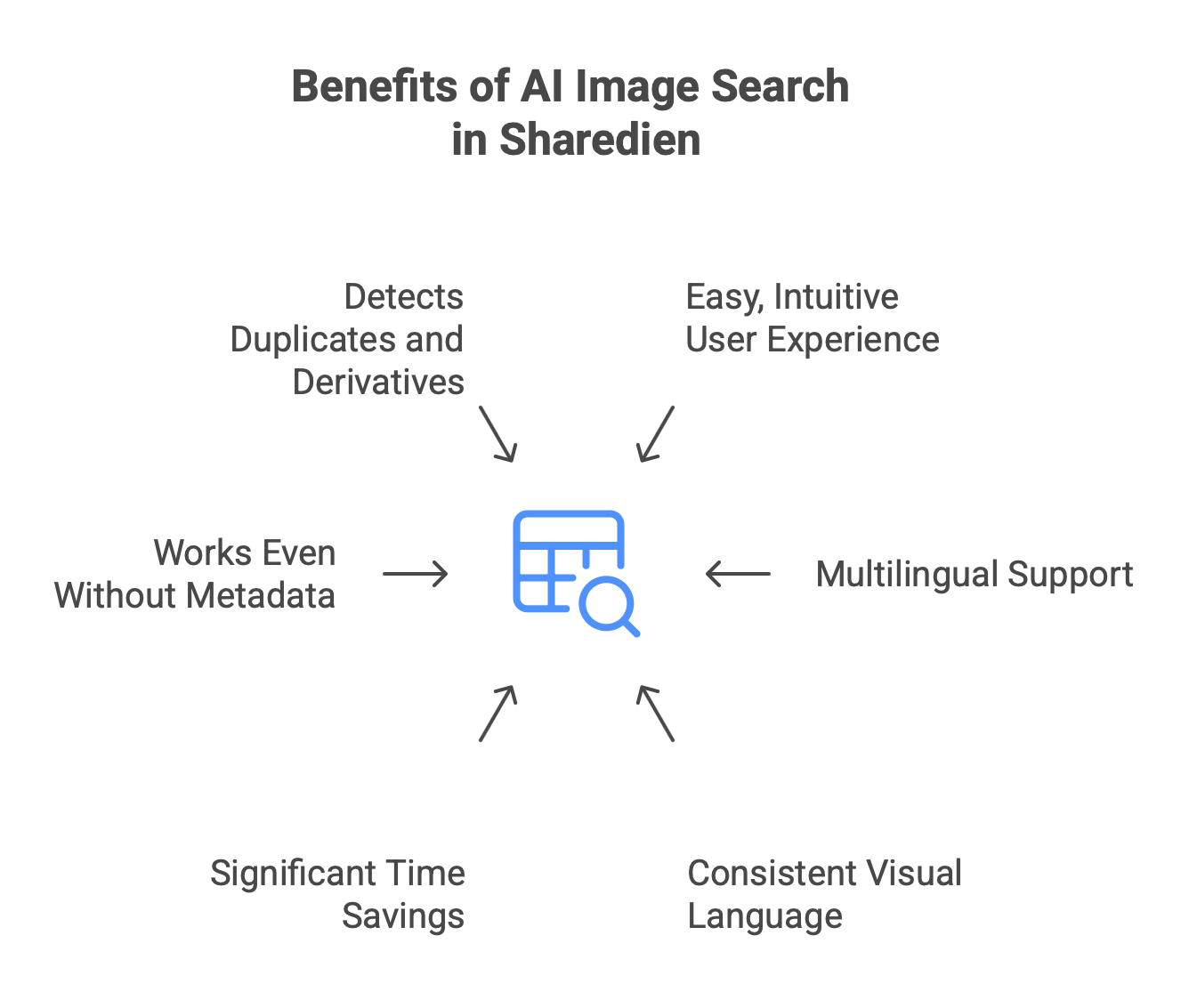
1. Significant time savings: No more endless clicking through folder structures. Studies show teams can reduce search time by up to 70%.
2. Independence from metadata quality: Even with missing or incorrect tags, images can still be found—because the AI “sees” the content.
3. Intuitive usability: No need to learn complex search syntax. Simply describe what you’re looking for.
4. Consistent visual language: Find stylistically matching images for cohesive brand communication—even without explicit style tags.
5. Duplicate and derivative detection: Similarity search identifies cropped, filtered, or resized versions of the same image.
6. Multilingual support: Many AI systems understand search queries in multiple languages without requiring multilingual tagging.
Real-World Use Cases
Marketing Campaigns
Challenge: A team plans a sustainability-focused social media campaign and needs relevant visuals.
AI Search solution: Search terms like “people in nature,” “recycling,” or “green technology” generate conceptually relevant images—even if they are not explicitly tagged as “sustainability.”
Result: Up to 80% faster image selection and a more consistent visual narrative.
E-Commerce Product Images
Challenge: An online shop with 50,000 product images wants to identify images with a specific color scheme or presentation style.
AI Search solution: Upload a reference image to similarity search to find stylistically matching product photos.
Result: Faster creation of consistent category pages and a more professional brand appearance.
Compliance and Rights Management
Challenge: Identify all variants of an image (duplicates, crops, edited versions) for rights management.
AI Search solution: Similarity search automatically finds all versions of an original image—even with different file names.
Result: Complete transparency over image usage and reduced legal risk.
Publishing and Content Creation
Challenge: Editorial teams need suitable images quickly without extensive research.
AI Search solution: Use natural-language queries directly derived from article context, such as “elderly man reading a newspaper in a café.”
Result: Faster content production and stronger image-text alignment.
Sharedien AI Search: A Practical Implementation
In the Sharedien DAM, AI Search features are optimized specifically for marketing teams and content creators:
- Real-time natural language search: Enter everyday language queries like “person in business attire shaking hands in front of a modern office building.”
- Visual reference search: Drag and drop an image into the search field or select one from your library to find similar assets instantly.
- Combined search: Merge text and image search for higher precision—for example: upload a reference image and refine with “but with warmer lighting.”
- Filter options: Further narrow results by file type, resolution, date, or classic metadata.
- Real-time preview: Hover over results for instant previews without opening the asset.
Technical Requirements and Integration
Sharedien AI Search integrates seamlessly into existing DAM workflows:
- Cloud-based – no additional hardware required
- API access – integrates with CMS, PIM, and other systems
- Scalable – from 1,000 to several million assets
- Browser-based – no software installation required
Data Protection and Security
All image analysis takes place within your secure DAM environment. AI models are implemented locally, ensuring that no image data is transferred to external services. This guarantees:
- GDPR compliance
- Protection of sensitive campaign materials
- No dependency on third-party providers
- Full control over your assets
Best Practices for Effective AI Image Search
1. Be precise but natural
- Good: “Businesswoman working on a laptop in a modern office”
- Too vague: “office laptop woman”
- Too specific: “25-year-old blonde woman in a blue blazer…”
2. Use descriptive adjectives
Colors, moods, lighting, and emotions help the AI: “sunny beach,” “thoughtful expression,” “warm lighting.”
3. Combine search approaches
Start with text search and refine using similarity search—or vice versa.
4. Use filters as needed
Narrow AI results with classic filters like format, date, or resolution.
5. Iterieren Sie Ihre Suche
Refine queries step by step or mark preferred and irrelevant results.
Outlook: The Future of AI Image Search
Upcoming developments include:
- Multimodal search: Combine text, image, voice, and video in a single query.
- Context-aware recommendations: AI learns from search behavior and proactively suggests relevant assets.
- Automated image curation: AI automatically creates thematic image collections.
Conclusion: AI Image Search as an Efficiency Booster
AI-powered image search is no longer futuristic—it delivers measurable value today:
Time savings: Up to 70% faster asset retrieval
Ease of use: Intuitive search without technical expertise
Quality: More accurate and relevant results
Flexibility: Works even with incomplete metadata
Scalability: High performance for large asset libraries
With Sharedien AI Search, you benefit from cutting-edge AI technology for modern digital asset management. Interested in a live demo? Contact us for a personalized walkthrough of Sharedien AI Search tailored to your specific use case. Book an appointment
FAQs
1. Do I need to re-tag my existing images?
No. AI Search works independently of existing metadata. Additional tags can further improve results but are not required.
2. How accurate are the results?
Most modern systems achieve accuracy rates above 90% for clear visual concepts. Abstract or highly specific queries can be refined with additional descriptions.
3. Does it work with older or low-quality images?
Yes. AI can analyze lower-resolution images, though recognition accuracy is naturally higher with high-quality visuals.
4. Are my search queries or images stored externally?
No. With Sharedien, all data remains within your system. AI analysis is performed locally without external data transfer.
5. How long does implementation take?
Sharedien AI Search is available immediately after activation. For very large libraries (100,000+ assets), initial indexing may take 24–48 hours.
6. Does AI Search support multiple languages?
Yes. Sharedien AI Search understands queries in English, German, and many other languages—without requiring multilingual tagging.
7. What happens to newly uploaded images?
New images are automatically analyzed and searchable within seconds.
About the author
Our marketing team shares current industry trends, marketing strategies and practical tips on the blog.

More
articles
Keep reading and take a look at our latest blog articles.
-DE-small.jpg)

What is headless CMS architecture and what role does it play in relation to CMS and DAM systems?


OMR Festival 2026: Masterclasses with Siemens and Weidmüller


Sharedien and Y1 announce new partnership!